// Case studies
Digitalising procurement – a complex enterprise process in one clear application
We designed the UX/UI for a browser-based internal application supporting Auchan's fresh produce procurement. The goal was to move a complex, partly documented process out of Excel spreadsheets and into a clear, scalable digital system that other departments could reuse later.
UX/UI design
Enterprise application design
Process discovery
Design system
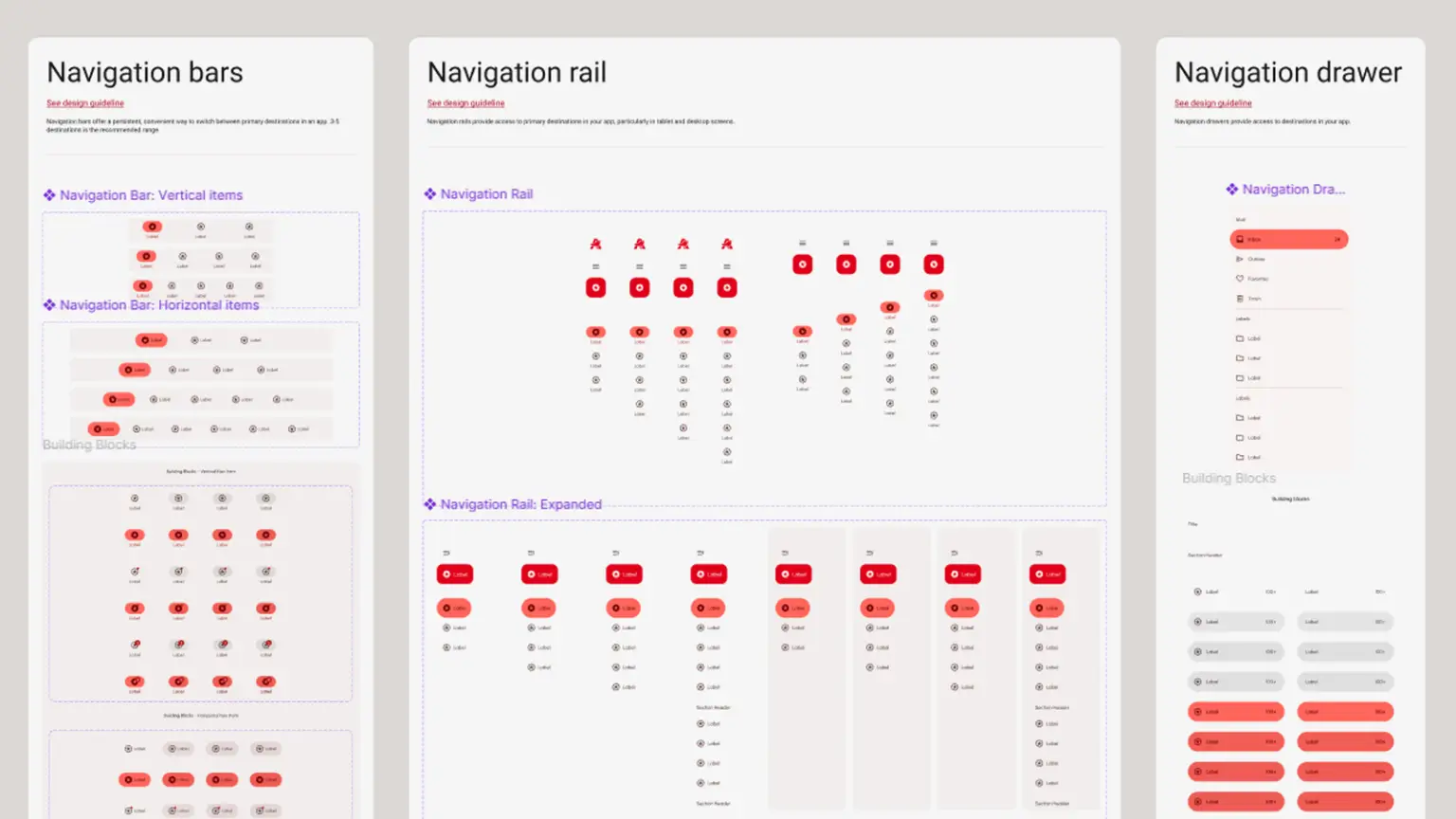
Material Design-based UI
Wireframing
Component system
Data table UX
Filter system design
Front-end build
Development support
Internal enterprise app

// Working together
Our work together
// Auchan
Project idea
Fresh produce procurement largely ran in Excel, even though the process was highly complex, with around 25 distinct stages. Documentation was only partial, and the links between steps and decision points weren't always clear. The goal was a browser-based app that brings the whole procurement process into one system, supports automation and gives buyers every relevant decision data point on a single screen.
// alap design
Our role
We started with a detailed discovery phase, mapping existing processes, roles, data connections and use cases. Then we defined sustainable UX goals and built an extensible design system based on Material Design. The design work included wireframes, UI components, data tables, filter systems and complex workspaces. The biggest challenge: showing a huge amount of varied data on one screen while keeping the system intuitive, clear and maintainable.
// alap design
Shared strategy
The key was not just putting existing processes on a screen, but genuinely structuring and simplifying daily work. We broke the procurement process into workspaces that cut unnecessary navigation, bring decision data into one place, and support fast filtering, comparison and analysis. The design system and component-based front end mean the app can serve other business areas in future, not just fresh produce.
// Functional solutions
Key features

Mapping a complex procurement process
The system turns a complex, multi-stage procurement process into a clear digital workflow.

Decision-support dashboards
Buyers see the key decision data on one screen, relying far less on Excel files and scattered sources.

Advanced data tables
To handle large, varied data sets, we designed data tables that support overview, fast search and detailed analysis at the same time.

Multi-level filtering
The app supports several kinds of filtering, such as by value, by column and by date range, with saved settings.

Reusable design system
The Material Design-based component system is built to be reused across other internal applications.

A maintainable front end
The front-end build supports not just the current interface but future extensions, changes and handovers to other developers.
// Brand foundations
Brand identity
Here, branding wasn't about marketing visuals but about a professional, functional interface that fits an enterprise setting. The goal was a clean, reliable, easy-to-read application design that supports data-driven decisions instead of distracting from the work. Material Design ensured consistent components, predictable interactions and room to scale.
#B20012
#FFF1EF
#B02D29
#FF665C
#FF5400
#FFFFFF
#814A00
// Website details
Key website elements
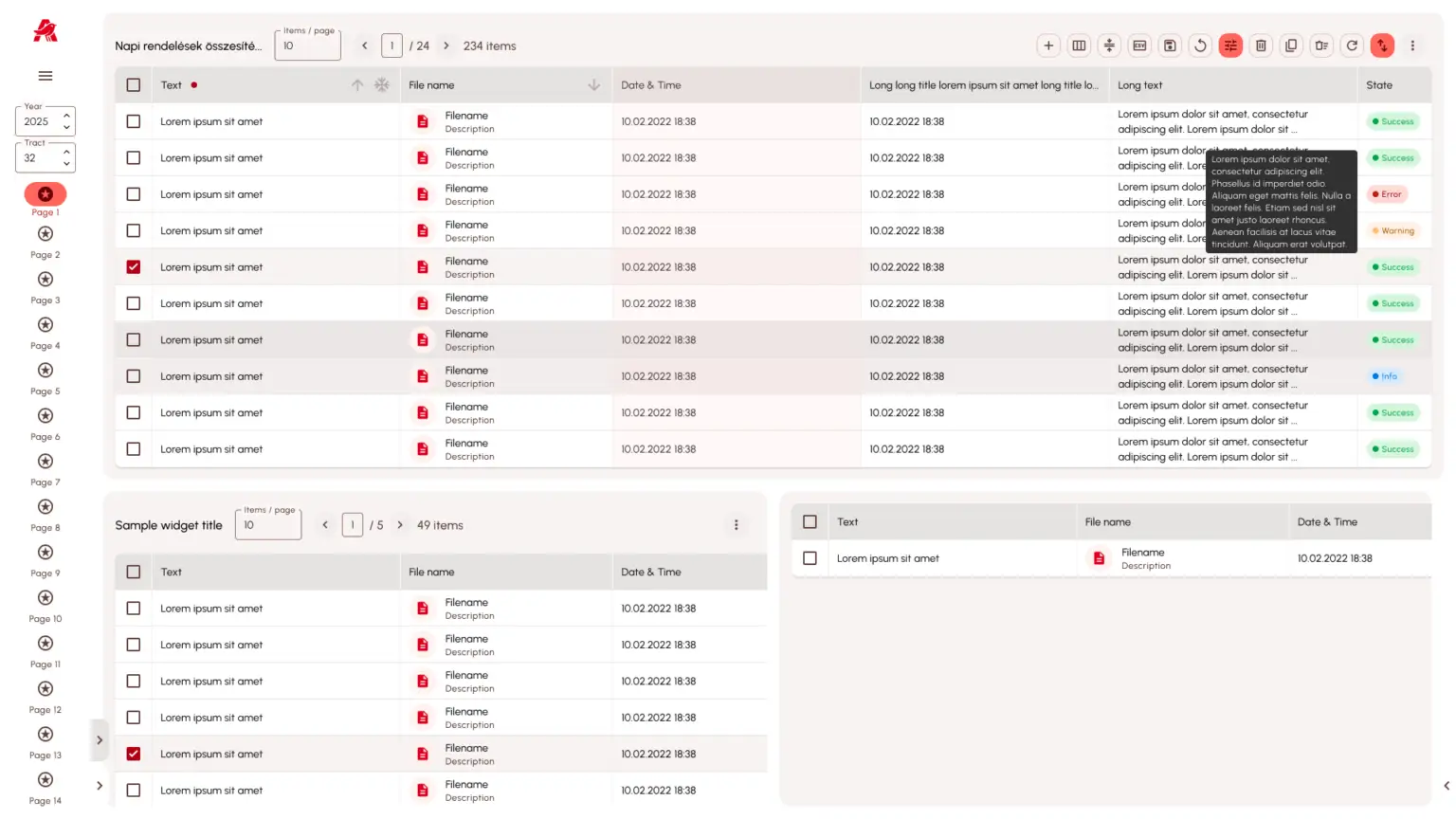
Main procurement workspace
The main workspace lets buyers reach the information they need with as little navigation as possible, built for quick understanding and confident decisions.
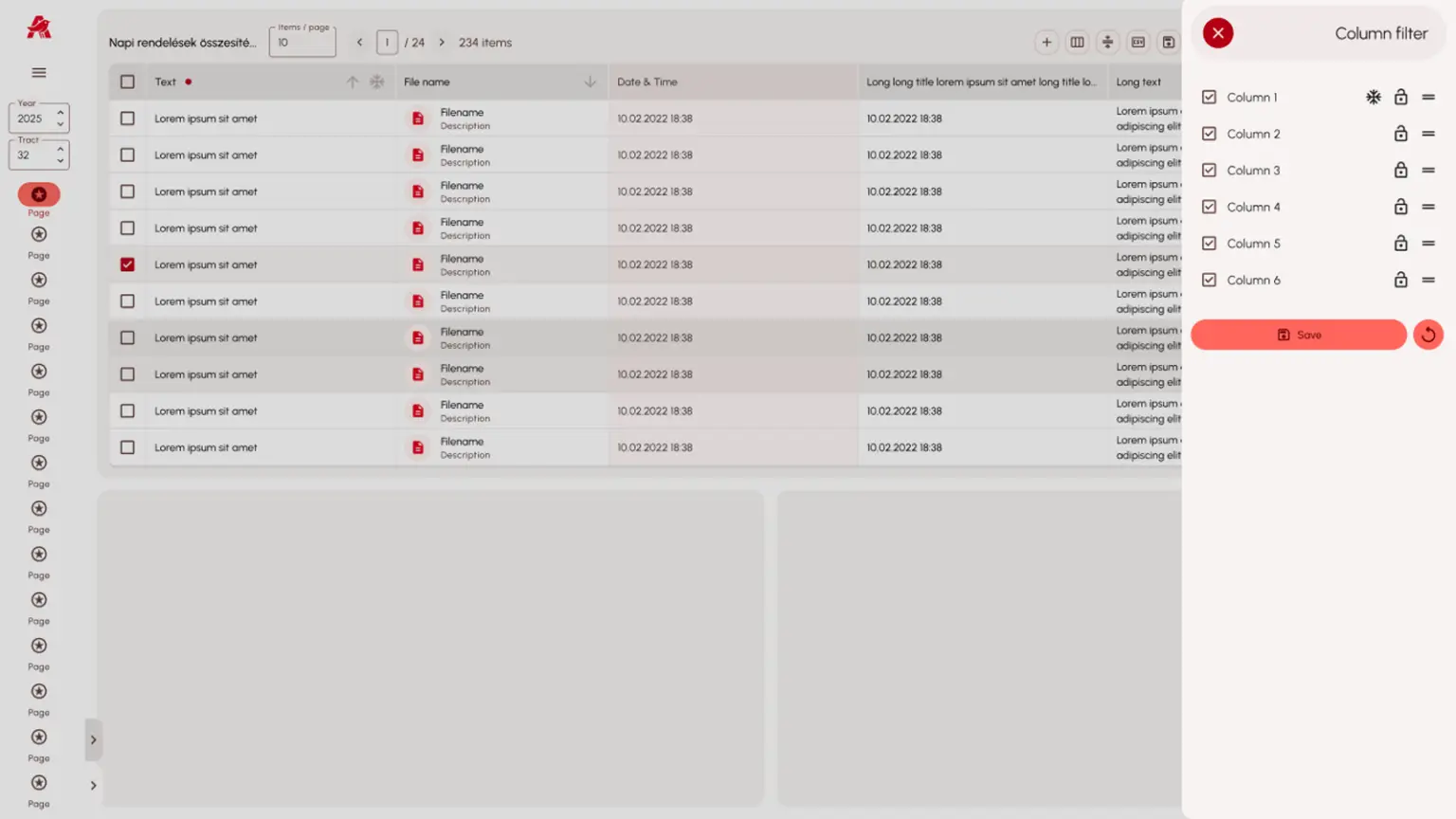
Complex data table components
Data tables were designed to stay manageable with large volumes of data, including filters, column controls and different data states.
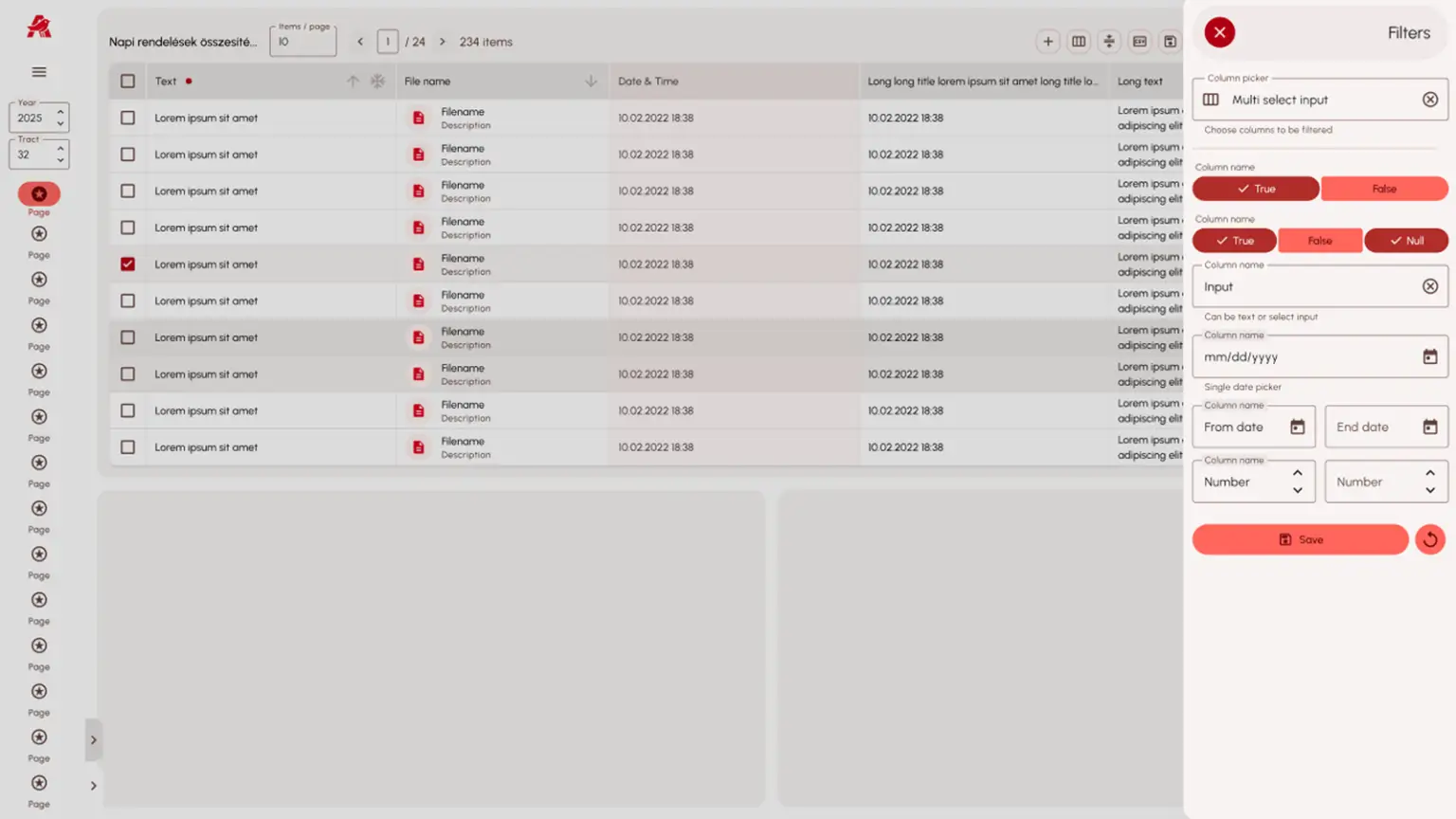
Intuitive filters with saved views
Filtering allows fast searches and can save settings for recurring tasks.